September 2026 distribution: What you need to know
Next month, we will pay members in our second distribution of the year. Payments should reach UK bank accounts on or around 30 September.
Important dates for your diary
- If you are due to receive a payment, you will receive an email from us between 28 September and 2 October.
- Payments should arrive in UK bank accounts on or around 30 September. Payments to international bank accounts will take longer to arrive, so please allow more time.
Will I be paid?
If we have collected money for your works, you will receive:
- An email to let you know your statement is ready to download.
- A notification in your ALCS online account letting you know there’s a new statement available.
If you don’t receive an email and no notification appears in your account, you have not received a payment this time. It’s worth remembering that we receive money from different income streams at different times of the year, so payments are subject to vary each year. The money we pay to members in September is the smaller of the two annual distributions.
We’re unable to send out any paper statements to members, so when your statement is ready, you’ll need to log in to your online account via the members’ area to access it. If you don’t have an online account, please contact us and we can set one up for you.
Make sure your details are correct
The most important thing is to make sure your bank details are correct, so if you’ve recently switched bank account, please make sure you’ve let us know!
You have until 6 September to do this. To update your details, log in to your online account. If anything on your account doesn’t look right, please let us know.
Nobody knows your work as well as you do, so please check that the works you have been paid for are accurate after you receive your statement from us. If something doesn’t look right, you need to let us know to ensure you receive everything you’re owed.
How will I view my statement?
If you are due a payment in this distribution, you will receive an email letting you know that you can download your statement.
You will find your statement in your account in the folder marked ‘2026-2027’ and you can either:
- download it or
- click to have it emailed to you as a PDF
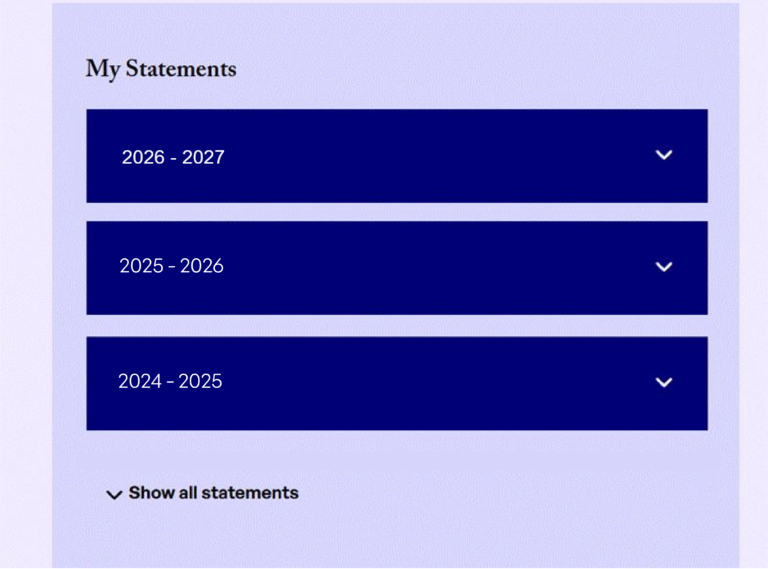
- To download your statement in PDF format, click on Request Statement Download.
- When your statement is ready for download, the message will change to Download Statement.
- Click on Download Statement and your statement will download (most likely to your computer’s Downloads folder).
- Alternatively, click the option that emails your statement over to you.